
Monitoring Remote Solar Farms With Avata 2
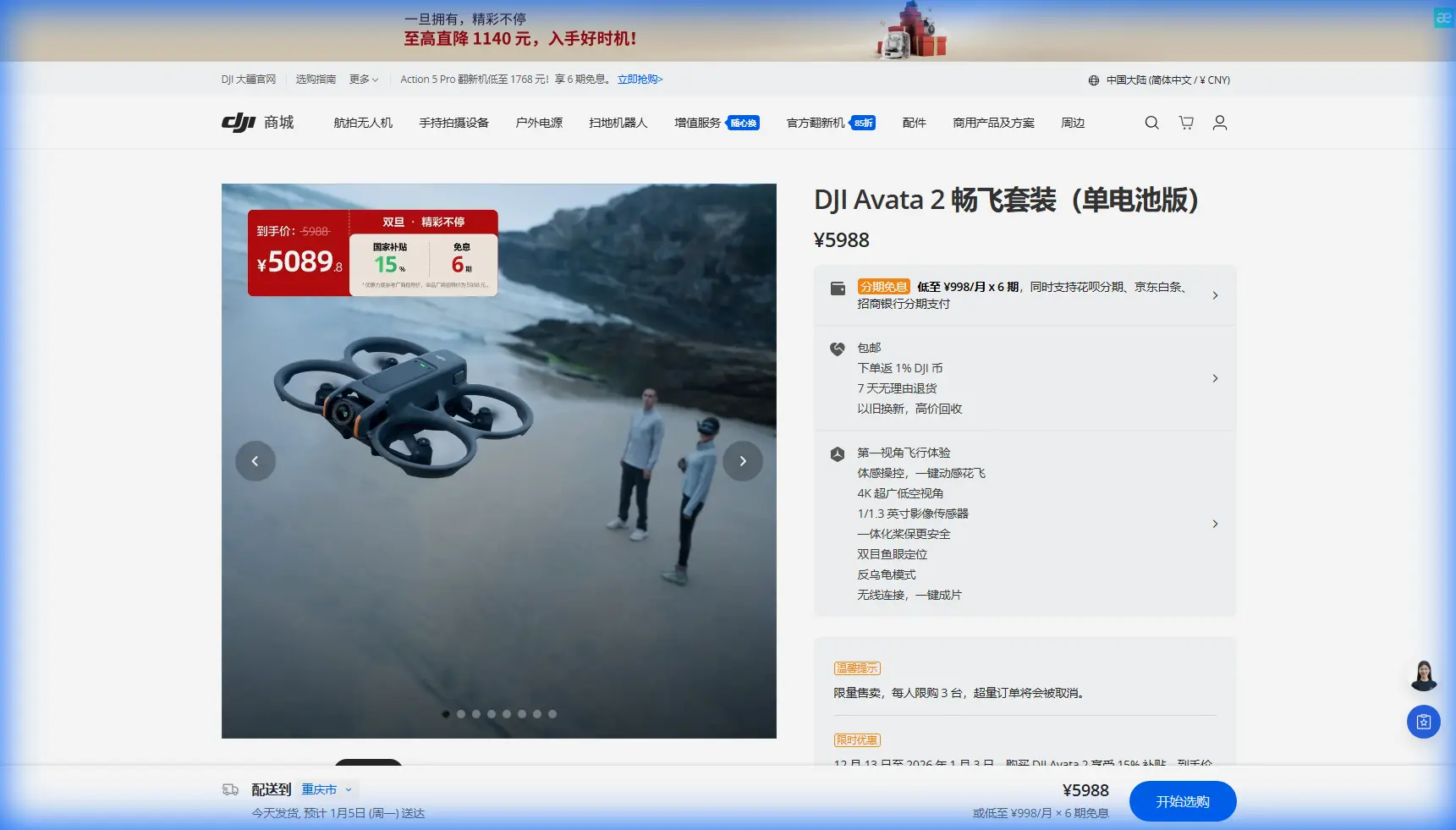
Monitoring Remote Solar Farms With Avata 2: A Practical Field Tutorial
META: A hands-on tutorial for using DJI Avata 2 to inspect remote solar farms, with pre-flight cleaning, obstacle sensing checks, camera settings, and efficient flight workflow tips.
Remote solar sites are awkward places to inspect well.
They sprawl. They shimmer with heat. Cable runs disappear beneath rows of panels, access roads are rough, and the visual issues that matter most are often subtle: a cracked module corner, pooled dust along an edge, vegetation creeping into maintenance lanes, a loose-looking junction box cover, a fence breach at the perimeter. Walking every row is slow. Flying a large platform everywhere is not always practical, especially when the goal is frequent visual monitoring rather than a full engineering survey.
That is where Avata 2 becomes interesting.
This is not a replacement for a dedicated thermal inspection workflow or a high-end mapping aircraft. It is something different: a compact FPV drone that can move through a solar site quickly, stay close to the structures, and give operators a far more immediate look at conditions on the ground. Used properly, it can shorten routine visual checks and improve situational awareness before a maintenance crew commits hours to a remote visit.
I approach this from a photographer’s perspective, but one shaped by field realities. If you are using Avata 2 to monitor solar farms in remote locations, the biggest gains usually come from three things: clean sensing, disciplined camera setup, and a repeatable flight pattern.
Why Avata 2 fits this kind of work
Avata 2 is easy to underestimate because of its cinewhoop style and immersive flight identity. For remote solar farm monitoring, those traits are actually useful.
Its ducted form factor helps when flying lower and closer to structures than many pilots would attempt with a conventional open-prop platform. The aircraft is also designed with obstacle sensing in mind, and for work around inverter pads, fencing, support frames, and service sheds, that matters. Even if you are not relying on automated avoidance to save a poor flight decision, good sensing adds margin when glare, repetitive geometry, and changing light make depth judgment harder.
Operationally, solar farms present a strange visual environment. You are flying over repeating dark-blue grids, reflective glass, metal rails, and long straight corridors. That combination can confuse both people and aircraft. So when readers ask whether obstacle avoidance is truly relevant here, my answer is yes—but only if you support it with a very simple habit before every launch.
Clean the sensors.
The pre-flight cleaning step most people rush through
If there is one step I would insist on for Avata 2 at a solar site, it is cleaning the camera and sensing surfaces before takeoff.
Not casually. Properly.
Solar farms are dust magnets. Fine grit comes off access tracks, pollen drifts across panel rows, and dry vegetation throws particles into the air even on light-wind days. Add heat shimmer and strong sun, and any haze on the lens or sensing windows can reduce confidence in what the aircraft sees and what you record.
My routine is simple:
- Inspect the main lens for dust, smears, and sunscreen fingerprints.
- Wipe obstacle sensing surfaces with a clean microfiber cloth.
- Check for dried residue around the ducts and body edges after transport.
- Confirm the image is crisp before committing to the full mission.
This sounds basic because it is basic. It is also operationally significant. Obstacle sensing can only help if the sensors are not dulled by dust, and visual monitoring is only useful if your footage holds enough clarity to review module condition later. A tiny smear that feels irrelevant on the ground can soften contrast across an entire row of panels. On reflective surfaces, that loss of clarity is amplified.
If your team rotates pilots, make this a checklist item rather than a personal preference.
Plan the job as monitoring, not cinematic flying
Avata 2 is capable of dramatic footage. That should not drive the mission.
For solar farm work, think in layers:
Perimeter pass
Start with a higher, slower circuit to assess general site condition: fence integrity, access road washouts, standing water, major debris, vegetation encroachment, and obvious vandalism.Row-level corridor checks
Drop lower and fly service lanes or panel corridors where safe and permitted. This is where Avata 2’s agility becomes useful. You can inspect alignment, visible damage, shade sources, and maintenance access conditions.Critical asset focus
Spend extra time near combiner boxes, inverter stations, transformers, signage, gate areas, and drainage features. These often produce the operational context behind underperformance complaints.Documentation passes
Capture stable footage and stills for review, not just live observation. The site manager who was not with you in the field needs evidence they can interpret later.
This method reduces random flying and makes repeat inspections comparable over time. If you monitor the same site weekly or monthly, consistency is your ally. You want footage from similar altitudes, similar angles, and similar times of day whenever possible.
Camera settings that preserve useful detail
A solar farm is harder to expose than it looks. Bright sky, dark panel surfaces, and mirror-like reflections in one frame can break careless settings.
That is why D-Log matters here.
If you are capturing footage for later review, D-Log gives you more flexibility to manage highlights and shadow detail in post. On a site where one section is blasted by sun and another sits beside a service building in shade, preserving tonal information helps reveal subtle surface issues without crushing the darker areas or blowing out reflected sky.
I would not use a flat profile blindly, though. Your team needs a workflow to handle it. If the footage will be reviewed quickly by non-editors, you may prefer a cleaner standard look for immediate use. But if the job includes reporting, stakeholder updates, or archived condition comparisons, D-Log is the better starting point.
A few practical tips:
- Avoid the middle of the day if reflective glare is severe.
- Expose to retain panel surface detail, not just the sky.
- Use slower, steadier movement when recording evidence footage.
- Re-fly key sections if glare obscures the surface.
Hyperlapse and QuickShots can also have a role, but not as gimmicks. A Hyperlapse sequence from a fixed perimeter route can show environmental change over time—vegetation growth, washout progression, material staging, access condition, even seasonal dust accumulation patterns. QuickShots are less central to inspection, but for client reporting they can help create clear visual summaries of site layout and maintenance context. The key is to use these modes intentionally, not because they are built in.
What about ActiveTrack and subject tracking?
For solar farm monitoring, ActiveTrack and subject tracking are situational tools, not default settings.
If a maintenance technician is moving through a section of the site and you want to document work progress, track a vehicle route, or create training material showing how crews navigate difficult terrain, these features can be helpful. They reduce the need to manually frame a moving subject while you focus on route safety and distance management.
That said, panel fields are repetitive and reflective. Those are not ideal conditions for overtrusting automation. Subject tracking works best when the tracked target is clearly distinct from the background and your route avoids sudden close obstacles. I would use it around service roads, open staging areas, or broader access zones—not for weaving tightly through infrastructure just because the feature is available.
This is where operator judgment matters more than marketing labels.
A sample remote-site workflow
Here is a field-tested sequence that suits Avata 2 particularly well.
1. Arrival and environmental check
Before powering on, walk a short section of the site. Look at dust, wind direction, bird activity, sun angle, and any signs of recent maintenance. If the site is extremely dusty, your pre-flight cleaning may need to be repeated between sorties.
2. Clean and inspect the aircraft
As mentioned earlier, wipe the lens and obstacle sensing areas. Check ducts for damage and make sure nothing from transport has shifted. In remote monitoring, small oversights become long drives.
3. Establish your objective
Do not just “go inspect the site.” Pick the task:
- condition overview
- post-storm visual check
- vegetation review
- access road assessment
- maintenance progress documentation
Each objective changes your route and camera priorities.
4. Run a short systems check flight
Lift off, hover, check image quality, confirm stable handling, and verify that the aircraft’s sensing behavior looks normal. This one-minute verification can save an entire wasted mission.
5. Fly the perimeter first
Capture broad coverage. This gives you context and helps identify whether closer inspection is needed in specific sectors.
6. Move into targeted low-level passes
Use controlled, predictable lines. Do not rush. Avata 2’s value here is not raw speed; it is access and perspective.
7. Record anchor clips
At the start of each section, capture a short stable reference shot. These become useful markers during review and reporting.
8. Log findings immediately
Do not trust memory across a large site. After landing, note row numbers, asset locations, and observed concerns while they are fresh.
If your team needs help setting up a repeatable remote inspection routine, I’d suggest sending your workflow questions through this field support chat.
Where Avata 2 helps most on solar sites
The strongest use cases are visual, frequent, and practical.
Vegetation encroachment
A remote solar farm can change fast during the growing season. Avata 2 is excellent for checking whether grass, brush, or overhanging growth is beginning to affect access lanes or cast shade.
Storm follow-up
After high winds or heavy rain, you may need a quick look before sending a crew. A compact aircraft can reveal fence damage, debris, standing water, erosion, and obvious panel impact issues quickly.
Access and infrastructure awareness
Remote sites often fail in small ways before they fail in expensive ways. Was a gate left compromised? Has a maintenance road washed out? Is drainage backing up near equipment pads? These are not glamorous findings, but they are valuable.
Training and documentation
Because Avata 2 can produce immersive footage, it is useful for internal training. New technicians can review route conditions, hazard areas, and layout before arriving on site. That can reduce time lost to orientation and improve safety culture.
Where it is not the right tool
A clear tutorial should also draw limits.
Avata 2 is not the aircraft I would choose for survey-grade mapping deliverables. It is not the first pick for thermal diagnostics. It is not a substitute for asset-specific electrical testing. And if your site requires long-endurance coverage over very large acreage in a single flight, a different platform may be better.
But those limits do not weaken its role. They define it.
Avata 2 is at its best when you need close-range visual intelligence from a compact aircraft that can work confidently around structure-rich environments. For remote solar farms, that can be exactly the gap between “we need eyes on this site today” and “we are not yet sending a full team.”
The mindset that gets better results
The best Avata 2 solar monitoring pilots are not the ones chasing dramatic lines between panel rows. They are the ones building a repeatable, reviewable process.
Clean the aircraft. Especially the sensing surfaces.
Use obstacle avoidance as a safety layer, not an excuse.
Capture stable evidence, not just exciting footage.
Use D-Log when your reporting workflow can benefit from better highlight and shadow retention.
Treat ActiveTrack and subject tracking as selective tools for people and vehicles in open areas, not magic for every route.
And keep your mission objective narrow enough that the footage answers a real question.
That is how a compact FPV platform becomes a serious site-monitoring tool.
Ready for your own Avata 2? Contact our team for expert consultation.